If you’ve ever stood on the floor of a mid-sized manufacturing plant watching a line of auxiliary processing equipment hum in sync with a main production line, you’ve probably noticed something small but transformative: it’s not just machines working next to each other—it’s a cohesive, automated system delivering efficiency no standalone gear could ever match. For nearly a decade, I’ve run a small auxiliary processing equipment supply business, and one question I get more than any other is, “How do these auxiliary pieces actually integrate with full automation systems?” It’s not a trivial question. Skip a small integration step, and you’re left with siloed machines, downtime, and gaps in data that eat into your bottom line. Get it right, and you’ll cut cycle times, reduce waste, and have visibility into every part of your process. Today, I want to break down how that integration works, from the planning phase to the day-to-day operations, and what it means for manufacturers looking to scale. Auxiliary Processing Equipment
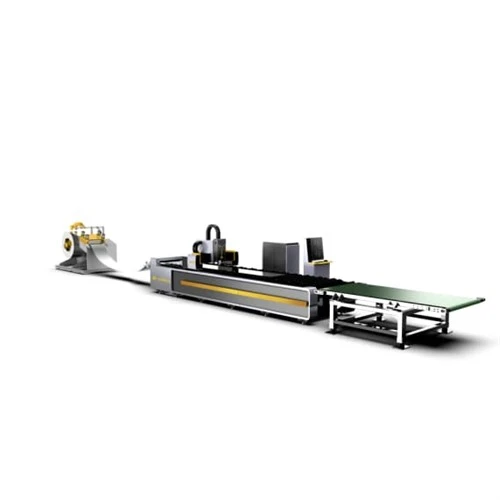
First, let’s define what we’re even talking about, because “auxiliary processing equipment” is a broad term. For the uninitiated, auxiliary gear is the supporting tools that keep main production lines running smoothly—things like material dryers, temperature controllers, parts conveyors, pressure vessels, and off-line testing stations. A plastic injection molding line, for example, has a main molding machine, but it also relies on material dryers to prep resin, temperature controllers to keep molds at the right heat, and conveyors to move finished parts away for packaging. Each of these is auxiliary equipment, and before automation, each ran on its own schedule: an operator would check the dryer’s resin level, adjust the mold temperature manually, and move parts when there was space on the floor. That’s not just slow—it’s prone to human error, like forgetting to turn off a dryer when a job finishes, which wastes energy, or missing a temperature spike that ruins a batch of parts.
Integrating these auxiliaries into an automation system solves that by linking them to a central control hub. But here’s the thing: integration isn’t plug-and-play. I’ve seen brands come to us thinking they just need a cable to connect their new dryer to their existing line controller, only to hit a wall when the two can’t communicate. The biggest mistake I see manufacturers make is treating auxiliary equipment as an afterthought. The best integrations start during the design phase of the main production line, not when the auxiliary gear is already sitting in a warehouse.
Let’s start with the foundational layer: communication protocols. This is the backbone of any integration, and it’s where most compatibility issues start. Every machine, whether it’s a main production line or an auxiliary dryer, speaks a different “language.” Some use Modbus, an old but still widely used protocol that works for basic data like on/off status and temperature readings. Others use Profinet for faster, more real-time communication, which is critical for conveyors moving parts at high speeds or robots picking components. For more complex tasks, like a material blender that adjusts resin ratios based on a main machine’s output, we use OPC UA, a modern protocol that lets different systems share data securely and in real time.
Here’s a real example: Last year, we worked with a custom packaging manufacturer that was struggling with consistent part quality. Their main line made plastic blister packs, and their auxiliary gear included a resin dryer, a color blender, and a trim press that removed excess plastic from the packs. Before integration, the dryer would run a 8-hour cycle regardless of whether the line was running, and the blender would only be checked once a shift, leading to off-color parts and wasted resin. When we integrated their auxiliaries using Profinet and OPC UA, we linked each piece to their main line’s PLC (Programmable Logic Controller)—the central brain of their automation system. Now, when the main line starts a new job, it sends a signal to the blender telling it exactly how much colorant to add to the resin. That resin then gets sent to the dryer, which adjusts its temperature and drying time based on the resin type the line selected. The trim press syncs its cycle speed to the line’s output, so it never gets backed up or sits idle. The result? They cut resin waste by 12%, reduced unplanned downtime by 18%, and cut their weekly material checks from 3 shifts to 1. That’s the kind of result that makes integration worth the effort.
Next, after getting the communication layer right, we move to the control architecture. There are two common approaches here, and which one you choose depends on the size and complexity of your operation. The first is centralized control, where all auxiliary equipment is linked to a single main PLC or a manufacturing execution system (MES). This works well for small to mid-sized lines, where you need a single operator to monitor everything from one screen. The second is distributed control, where each auxiliary piece has its own small controller, and these controllers communicate with the main line’s system. This is better for large facilities with multiple production lines, because if one auxiliary piece has a problem, it doesn’t bring down the entire line.
For our packaging client, we went with a centralized control setup because their line is small enough that they only need one operator shift at a time. We installed a human-machine interface (HMI) that sits right next to the main line, where the operator can see every auxiliary machine’s status: dryer temperature, blender color levels, trim press cycle count. If the dryer is low on resin, the HMI sends a low-level alert, and if there’s a problem that could stop the line, like a temperature overshoot, it sends a high-priority alarm. The operator can adjust settings directly from the HMI, no need to walk across the floor to the dryer or blender.
For larger clients, like automotive parts manufacturers with three separate production lines running 24/7, we use distributed control. Each line’s auxiliaries (like parts washers, spray painters, and inspection stations) have their own small controllers that talk to a central MES. The MES doesn’t control each machine directly, but it collects data from all of them, so management can see how each line is performing, track maintenance schedules, and predict failures before they happen. For example, if a parts washer’s pressure sensor is showing a slow drop in performance, the MES can flag that as a pending maintenance issue, so the team can replace a pump during a scheduled downtime window, not when the line is down producing parts.
A big part of integration that many people overlook is data management. When you link auxiliary equipment to an automation system, you’re not just moving signals—you’re moving data. Every minute, a material dryer might send data on temperature, energy use, and resin moisture levels; a conveyor might send data on how many parts it’s moved, and a trim press might send data on how many parts it’s rejected. That data is valuable, but only if you can use it. Good integration means that data flows to your MES, your enterprise resource planning (ERP) system, or even cloud-based analytics tools, so you can make data-driven decisions.
I had a conversation with a medical device manufacturer last quarter that told me they were losing $50,000 a month to waste from their auxiliary gear. They had a quality control team that inspected parts at the end of the line, but they couldn’t figure out why 3% of parts were being rejected. When we integrated their auxiliaries, including a laser cutter and a sterilization oven, we set up the data flow to their quality management system (QMS). Now, every time a part is cut, the laser cutter sends data on its power level and speed. Every time it goes into the oven, the oven sends data on temperature and dwell time. The QMS links that data to each part’s serial number, so they could see that 90% of rejected parts had been cut when the laser’s power level was 5% lower than the set point. The problem wasn’t the main machine—it was the auxiliary laser cutter, which was going out of calibration every 2 weeks, but no one was tracking its power level in real time. After integration, they set up the system to alert technicians when the laser’s power drops, so they calibrate it before it causes rejects. They cut waste by 92% in 3 months. That’s the power of integrating auxiliaries correctly.
Of course, integration isn’t without challenges. Every client has their own existing system, and we run into compatibility issues all the time. One of the biggest ones is legacy equipment. Many manufacturers have auxiliary machines that are 10, 20, even 30 years old, and they don’t have digital communication ports. That doesn’t mean you can’t integrate them—you just need to add a gateway, a device that translates the old machine’s signals into a protocol the central system can understand. For example, an old dryer that only has a on/off switch can have a gateway installed that sends data on its run time and energy use to the main PLC. That’s a more cost-effective solution than replacing the entire auxiliary machine, which is often what clients would have done before we showed them the gateway option.
Another challenge is cybersecurity. When you link machines to a network, you open up potential vulnerabilities. We’ve worked hard to make sure all our auxiliary equipment has built-in security features, like encrypted communication and access controls, so that only authorized personnel can adjust settings. For our clients in regulated industries, like pharmaceuticals or medical devices, we also make sure the integration meets FDA or ISO standards for data tracking and audit trails. It’s not just a nice-to-have—it’s a requirement for many of these industries.
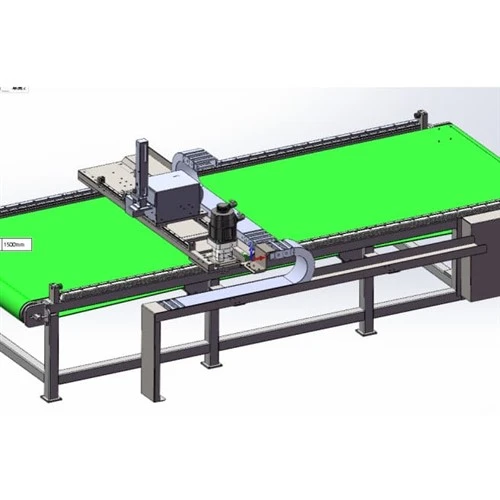
So what does this mean for manufacturers looking to integrate their auxiliary equipment with automation systems? Let’s wrap this up with a few key takeaways. First, start early. Don’t wait until you buy your auxiliary gear to think about integration—talk to your automation provider during the design phase, so you can pick auxiliaries with compatible communication protocols from the start. Second, don’t treat integration as a one-time project. As your production needs change, you’ll need to adjust the integration, whether that’s adding a new auxiliary piece or upgrading your communication protocol. Third, use the data. The best integrations don’t just make your line run—they give you insights that help you save money, improve quality, and reduce downtime.
Flatbed Laser Cutting Machines At the end of the day, auxiliary equipment integration is about making your entire process work as a single, cohesive unit, not a collection of separate machines. I’ve seen so many manufacturers go from struggling with missed quality issues and high waste to hitting production targets consistently, just by getting this part right. If you’re looking to streamline your line, reduce costs, and make your auxiliary equipment work for your automation system instead of against it, let’s talk. We can walk through your current setup, talk about your goals, and put together an integration plan that fits your needs, no matter what industry you’re in.
References
- International Society of Automation (ISA). "Integrating Auxiliary Equipment into Manufacturing Automation Systems." ISA, 2022.
- OPC Foundation. "OPC UA for Industrial Device Communication." OPC Foundation, 2021.
- Manufacturing Extension Partnership (MEP). "Best Practices for Auxiliary Equipment Integration in Smart Factories." National Institute of Standards and Technology, 2023.
- Profinet International. "Real-Time Communication for Auxiliary Production Gear." Profinet International, 2022.
- Food and Drug Administration (FDA). "21 CFR Part 11: Electronic Records and Electronic Signatures for Regulated Manufacturing." FDA, 2021.
Yongkang City Bohong Intelligent Equipment Co., Ltd.
As one of the most reliable auxiliary processing equipment manufacturers and suppliers in China, we also support customized service. With abundant experience, we warmly welcome you to buy advanced auxiliary processing equipment from our factory. If you have any enquiry about quotation, please feel free to email us.
Address: No. 176 Yinggui North Road, Chengxi New Area, Yongkang City, Zhejiang Province
E-mail: bohonglasertech@Outlook.com
WebSite: https://www.bohonglasertech.com/
